

If you are like me, your iPhone serves as a music player, internet explorer, and a time-waster with TikTok. But did you know your iPhone has a few tricks up its sleeve? Below, I will list the top three “hidden” functions that are some of my favorites.
Mental Health Journal

From Apple: “Track your mental well-being by logging your moods and emotions and by taking standardized mental health assessments to understand your current risk of depression and anxiety.” This app should already be installed on your iPhone, located in the health app that came with your phone. Through it, you can track medication usage (useful for people like me who forget if they have already taken their medication or not), and track your daily moods and feelings that over time can serve to show you that certain settings (or people) are harming your mental health. For more on Apple’s mental health app, visit https://support.apple.com/en-us/105000.
Scan and Sign Documents
Sometimes, a simple picture just doesn’t cut it. Did you know that your iPhone can scan documents, and does a pretty decent job of it? To access this feature, go to the “Notes” app on your iPhone. Once there, start a new note and locate the little camera icon at the bottom of your screen and press it. Now, press “Scan Documents”, and you will be prompted to align the camera with the document.
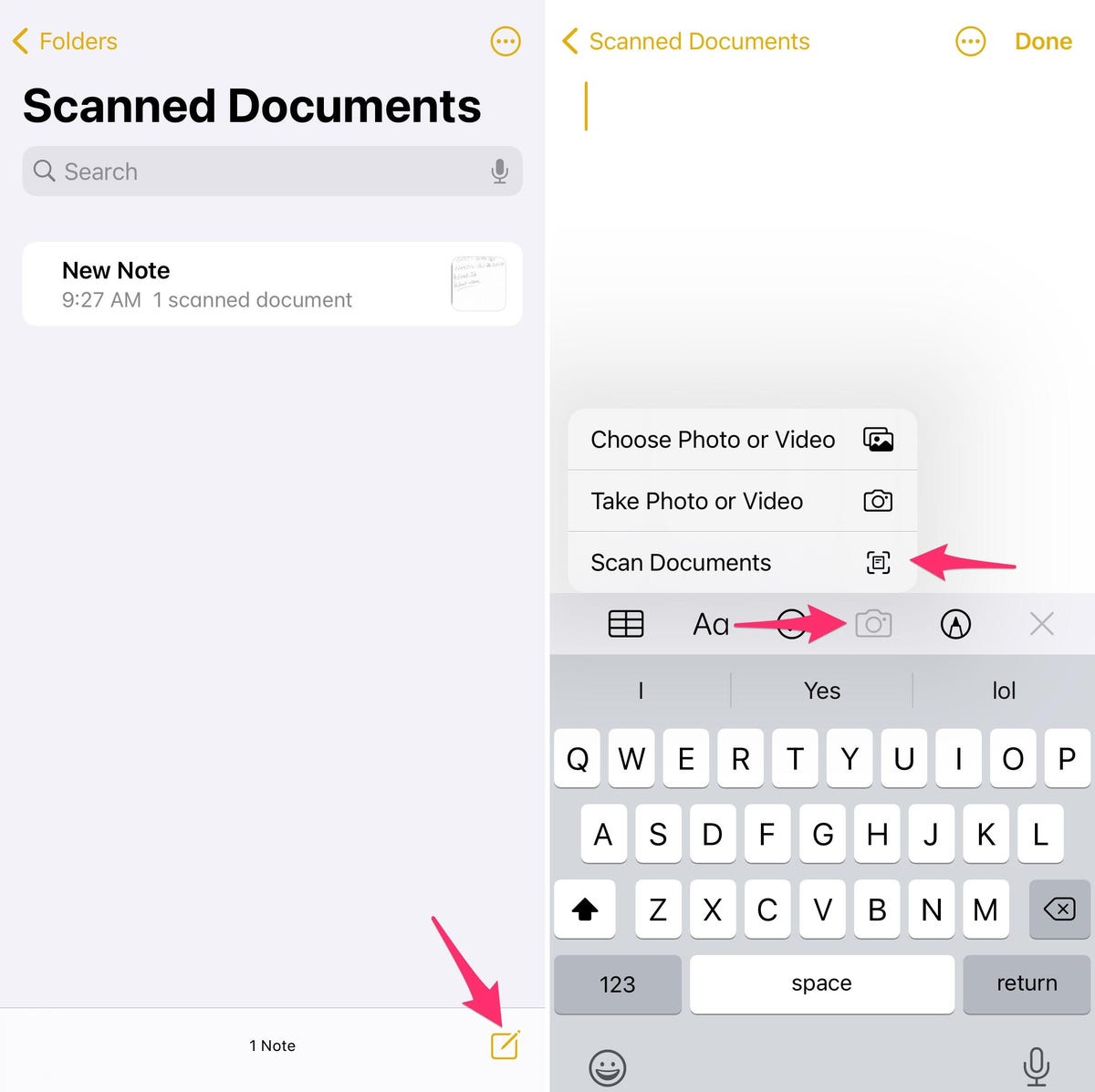
Now, you can choose to save that scan to either your phone’s files or saved photos. To sign the document, open Notes, then tap the document in the note that you just created. Tap the Share button, then tap “Markup”. Tap the “Add” button, then tap “Signature” and add a saved signature or create a new signature. For more information, visit https://support.apple.com/en-us/108963
Sleep Schedules
How many times have you fallen asleep, only to be rudely awakened by someone who thought it appropriate to call you at that hour? Well, the folks at Apple do have an app for that. With sleep schedules, located in the health app, or in your control panel (swipe down from the upper right side of your screen), you can set hours that your phone will be on a “do not disturb” mode. Note: you can list contacts or alerts that can immediately bypass this setting in emergencies.
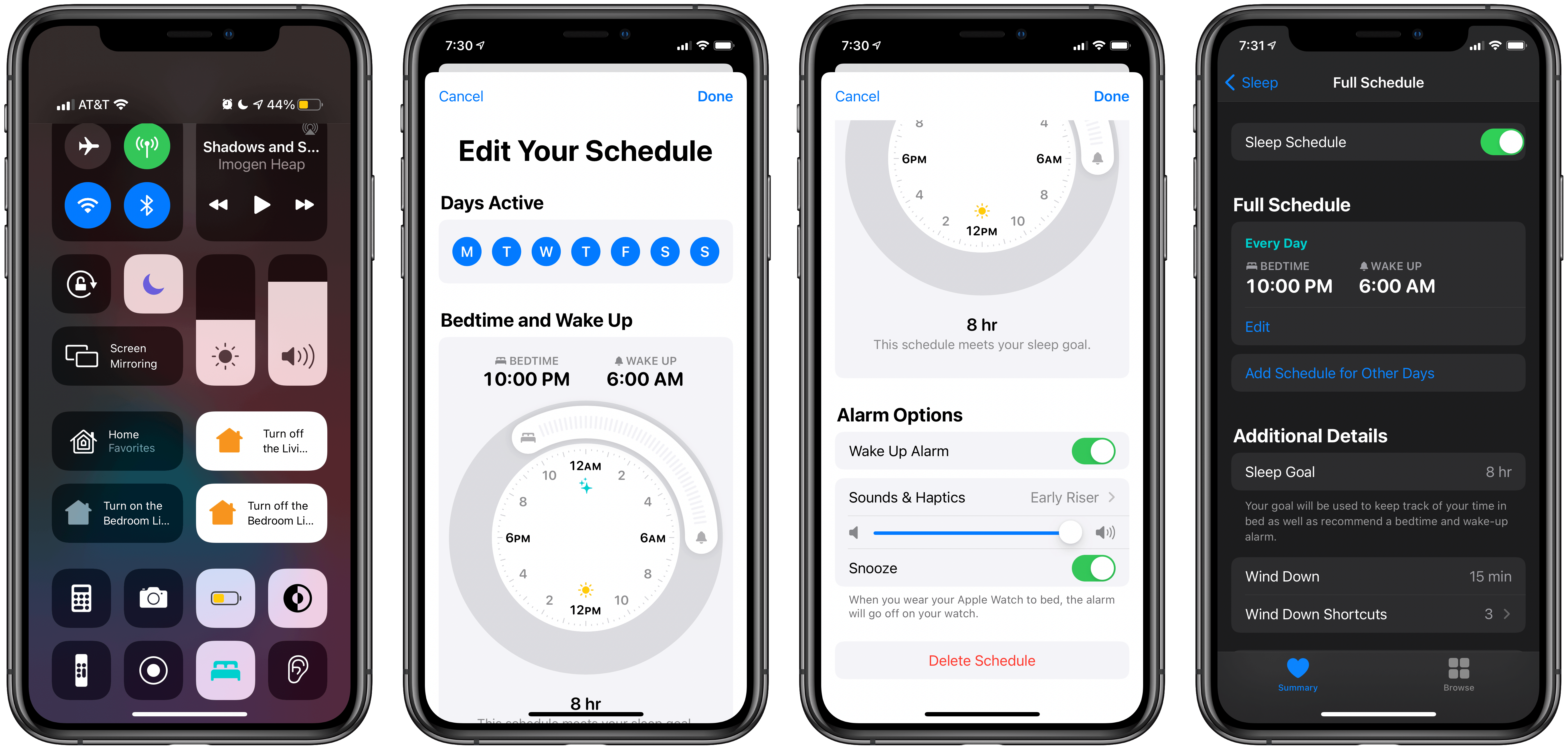
From Apple: “For the sleep schedules you set, a Sleep Focus helps reduce distractions before and during bedtime. For example, it can filter out notifications and phone calls, and it can signal to others that you’re not available. You can also schedule a wind-down period to begin from 15 minutes to 3 hours before your bedtime. Your Sleep Focus begins at the start of your wind-down time.” For more information, visit https://tinyurl.com/5xnbfbdv.
